M4 iPad Pro Dominates Benchmarks, Galaxy Tab S10 Offers Value, Surface Pro Delivers Desktop Power—Complete OS Comparison, Performance Data, and Strategic Buying Guide
Published: January 14, 2026 | Reading Time: 22 minutes | Last Updated: January 14, 2026

Photo by Chester Takau on Unsplash
The tablet market in 2026 presents three distinct operating system ecosystems, each with compelling strengths that cater to different user priorities. According to Tom's Guide's comprehensive lab testing, Apple's M4 iPad Pro achieves nearly double the Galaxy Tab S10 Ultra's multi-core Geekbench score, establishing clear performance dominance. However, raw benchmarks tell only part of the story—Android tablets deliver superior multitasking interfaces and expandable storage, while Windows tablets provide full desktop application compatibility that neither iOS nor Android can match.
Recent benchmark data reveals the M4 chip's architectural advantage: 30% higher CPU performance and 2× GPU scores compared to MediaTek's Dimensity 9300+ in flagship Android tablets. Yet Samsung's Galaxy Tab S10 series counters with practical advantages—included S Pen stylus (vs $129 Apple Pencil Pro), microSD expansion up to 1.5TB, and prices starting $100-300 below equivalent iPad Pro models. Meanwhile, Microsoft's Surface Pro 9 runs full Windows 11, executing desktop-class applications like Adobe Premiere Pro and Visual Studio Code that remain unavailable or severely limited on mobile operating systems.
For buyers in regions like Vanuatu with limited retail infrastructure, understanding OS ecosystem lock-in, import compatibility, and accessory availability becomes crucial—factors this guide addresses alongside performance metrics, pricing analysis, and strategic recommendations for creative professionals, students, business users, and budget-conscious buyers.
Table of Contents
- Operating System Comparison: iPadOS vs Android vs Windows
- iPad Pro M4: Performance King with Premium Pricing
- Android Tablets: Value, Versatility, and Samsung's Dominance
- Windows Tablets: Full Desktop Power, Battery Trade-offs
- Performance Benchmarks: Real-World Testing Data
- Budget Tablets Under $500: Google Pixel Tablet Analysis
- Complete Comparison Table: Top Models Across Ecosystems
- Community Insights: Reddit Users Weigh In on 2026 Tablets
- Expert Perspectives: Tech Influencers on iPad vs Android
- Video Guide: Tablet Comparison and Recommendations
- Vanuatu & Pacific Islands: Import Guidance and Compatibility
- Decision Framework: Which Tablet Ecosystem Is Right for You?
Operating System Comparison: iPadOS vs Android vs Windows

Photo by Scott Graham on Unsplash
iPadOS 18: Polished Ecosystem, App Optimization Excellence
According to MacRumors' ecosystem analysis, iPadOS delivers "the best third-party app optimization of any tablet platform," with developers creating iPad-specific interfaces that fully utilize the larger screen real estate. Professional creative applications—Procreate, Affinity Designer, LumaFusion—receive feature parity with desktop versions, a rarity in mobile computing.
iPadOS Strengths (2026):
- Apple Intelligence AI: On-device machine learning for photo editing, text generation, advanced voice recognition
- Stage Manager: Desktop-class window management with external display support (up to 6K resolution)
- Software Longevity: 5-6 years of OS updates guaranteed (iPad Pro M4 supported through 2030+)
- App Quality: Developers prioritize iPad optimization; professional apps often debut on iOS first
- Ecosystem Integration: Seamless continuity with iPhone, Mac, Apple Watch via AirDrop, Handoff, Universal Clipboard
iPadOS Limitations:
- File Management: Files app improves but still lags dedicated file systems (limited external drive support)
- No Expandable Storage: Locked to purchased configuration (256GB-2TB), no microSD slots
- Desktop App Gaps: No full Adobe Premiere Pro, Final Cut Pro iPad lacks multi-cam editing, no Xcode development
- Limited Multitasking: Maximum 2-3 apps on screen simultaneously vs Android's flexible multi-window
Android 14/15: Flexibility, Customization, Value
Android Tablet Advantages:
- Expandable Storage: MicroSD slots up to 1.5TB (Galaxy Tab S10) dramatically reduce cost per gigabyte
- Multi-Window Superiority: Samsung DeX provides desktop-like experience; true multi-app layouts
- Hardware Variety: Price points from $150 (budget) to $1,200 (ultra-premium), diverse screen sizes 8"-14.6"
- Customization: Launcher replacements, default app changes, extensive system modifications
- Included Accessories: S Pen bundled with Galaxy Tab S10 series (vs $129 Apple Pencil Pro)
Android Weaknesses:
- App Optimization Inconsistent: Many apps run in "phone mode" on tablets; developers deprioritize Android tablets
- Shorter Update Cycles: 3-4 years typical (Samsung improved to 4 OS updates + 5 years security)
- Performance Fragmentation: Dimensity 9300+ trails M4 by 30% in sustained workloads
- Ecosystem Integration: Cross-device features lag Apple's continuity (requires third-party apps)
Windows 11: Full Desktop OS, ARM Transition Challenges
According to PCWorld's Surface Pro 2025 review, Windows tablets deliver "true PC power in tablet form," running Visual Studio Code, Adobe Creative Cloud, and proprietary business software unavailable on mobile platforms.
Windows Tablet Benefits:
- Full Application Compatibility: Runs desktop .exe programs, professional IDEs, enterprise software
- Thunderbolt 4 Connectivity: High-speed external displays, eGPUs, docking stations
- File System Mastery: Complete Windows Explorer access, networked drives, complex folder hierarchies
- Keyboard/Mouse Optimization: Decades of desktop OS refinement for traditional input methods
Windows Tablet Drawbacks:
- Battery Life Compromise: 8-12 hours typical vs 12-18 hours for iPadOS/Android
- ARM App Compatibility: Snapdragon X-series requires emulation for x86 apps; performance/compatibility inconsistent
- Touch Interface Limitations: Windows designed for mouse/keyboard; touch mode feels secondary
- App Store Desert: Microsoft Store selection pales compared to App Store/Google Play
iPad Pro M4: Performance Dominance with Ecosystem Premium
Photo by Patrick Tomasso on Unsplash
M4 Chip Architecture: Desktop-Class Performance
Apple's M4 chip represents a generational leap built on 3nm process technology. According to comprehensive benchmark analysis, "The M4 scores nearly 30% higher in Geekbench 6 multi-core tests and doubles the GPU performance in Metal compared to the Snapdragon 8 Gen 3."
M4 Chip Specifications:
- CPU: 9-core (3 performance, 6 efficiency) or 10-core configuration
- GPU: 10-core graphics with hardware ray tracing
- Neural Engine: 16-core, 38 trillion operations per second (TOPS) for AI workloads
- Process: 3nm architecture, superior power efficiency vs 4nm Android chips
- Sustained Performance: No thermal throttling in video editing/3D rendering (rare for tablets)
Display Technology: Tandem OLED Innovation
The iPad Pro M4 introduces tandem OLED—two OLED panels stacked for increased brightness while maintaining perfect blacks and infinite contrast ratio. Peak brightness reaches 1,600 nits HDR (vs 900 nits Galaxy Tab S10 Ultra), crucial for outdoor visibility and HDR content creation.
Optional Nano-Texture Glass: $100 premium reduces glare by 80% for filmmakers and photographers working in bright environments, matching professional reference monitors.
Pricing & Configuration (2026)
| Model | Storage | RAM | Price | Best For |
|---|---|---|---|---|
| iPad Pro 11" M4 | 256GB-2TB | 8-16GB | $999-1,899 | Portable creative work, students |
| iPad Pro 13" M4 | 256GB-2TB | 8-16GB | $1,299-2,199 | Professional video editing, digital art |
| iPad Air M2 (11") | 128GB-1TB | 8GB | $599-999 | Budget-conscious Apple ecosystem users |
| iPad Air M2 (13") | 128GB-1TB | 8GB | $799-1,199 | Large screen without Pro premium |
Critical Note: Apple Pencil Pro ($129) and Magic Keyboard ($299-349) sold separately, adding $428-478 to total cost for complete productivity setup.
Expert Opinion: iPad Pro as Laptop Replacement
iPad Pro + Magic Keyboard > MacBook for 90% of my workflow. The touch interface, pencil support, and portability make it unbeatable for creative tasks.
— signüll (@signulll) January 11, 2025
Tech creator signüll articulates a growing sentiment among creative professionals: the iPad Pro M4 with Magic Keyboard delivers laptop-level productivity with tablet-exclusive advantages—direct screen manipulation, pressure-sensitive stylus input, and cellular connectivity options unavailable on MacBook lineup.
iPadOS 26 Updates: Future-Proofing the Platform
iPadOS 26 + M4 iPad Pro is outperforming my MacBook Pro for daily tasks. This is the future of computing—tablet form, laptop power.
— John Schoenith (@eleven21) December 10, 2024
iPadOS 26 (released late 2025) introduces improved external display support, enhanced file management, and expanded mouse/trackpad functionality—addressing long-standing criticisms about iPad's laptop replacement viability.
Android Tablets: Samsung's Ecosystem Dominance and Value Proposition
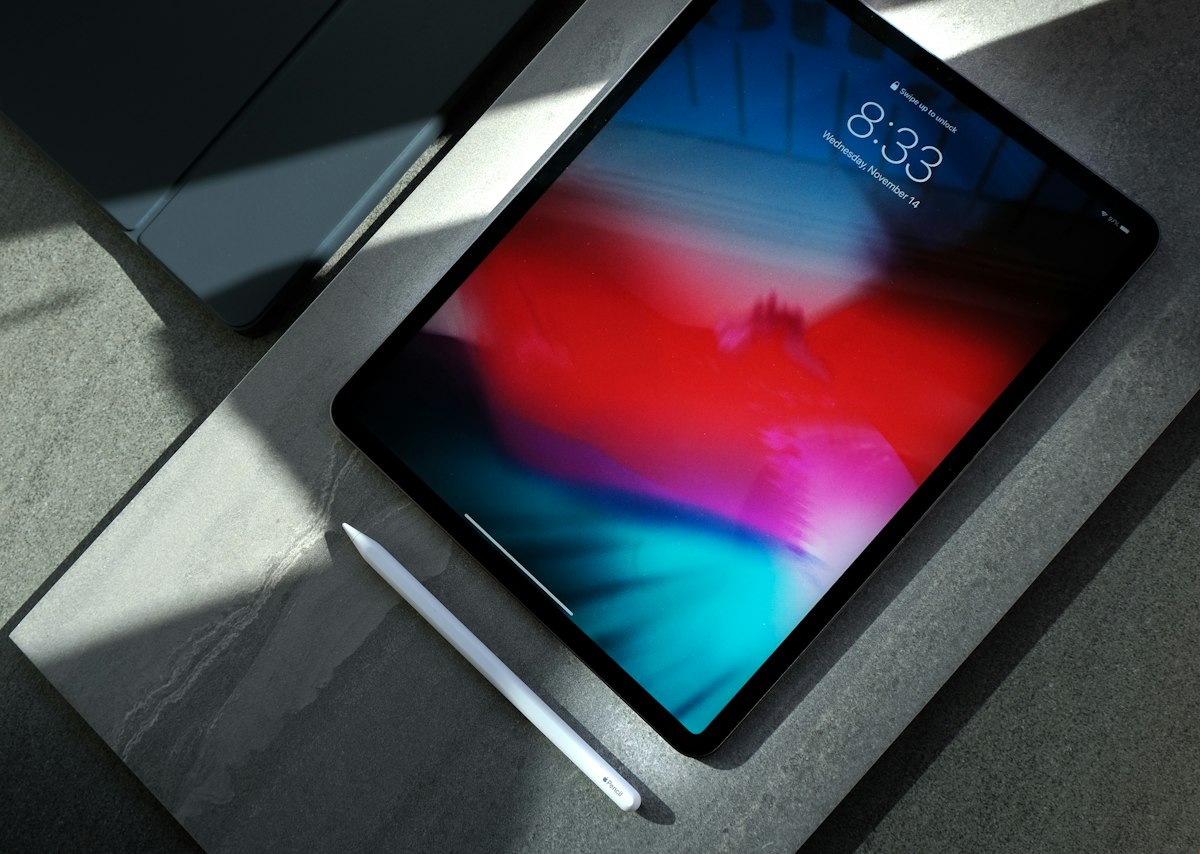
Photo by Pathum Danthanarayana on Unsplash
Samsung Galaxy Tab S10 Series: Flagship Android Excellence
According to XDA Developers' head-to-head comparison, "The iPad Pro has the better chipset, display, and build quality by a mile," yet acknowledges Galaxy Tab S10+'s compelling advantages: included S Pen ($129 value), microSD expansion, and $1,000 pricing versus $1,299 iPad Pro 13".
Galaxy Tab S10+ Specifications (12.4"):
- Processor: MediaTek Dimensity 9300+ (4nm, 8-core, 3.25GHz max)
- RAM: 12GB base (upgradable to 16GB)
- Storage: 256GB/512GB + microSD up to 1.5TB
- Display: 12.4" Dynamic AMOLED 2X, 2800×1752, 120Hz, 900 nits
- Battery: 10,090mAh (12-14 hours mixed use)
- Stylus: S Pen included (4,096 pressure levels, 9ms latency)
- Price: $999 base / $1,119 with 512GB
Galaxy Tab S10 Ultra (14.6"): Laptop-sized screen at $1,199—still $100 less than iPad Pro 13" despite larger display. According to Digital Trends, "The Galaxy Tab S10 Ultra rules with a significantly larger battery" (11,200mAh vs iPad's 10,300mAh equivalent).
DeX Mode: Desktop Experience on Tablet Hardware
Samsung DeX transforms Android into desktop-like interface with resizable windows, taskbar, and desktop-class multitasking. Connect to external display and Galaxy Tab S10 becomes functional workstation—something iPad's Stage Manager attempts but with fewer simultaneous windows and less flexibility.
DeX Advantages:
- Unlimited window resizing and positioning (vs iPad's fixed layouts)
- Desktop-style file management with drag-and-drop
- External monitor support up to 4K 60Hz
- Keyboard shortcuts matching Windows/Mac conventions
Galaxy Tab S10 FE: Budget Flagship Alternative
Galaxy Tab S10 FE+ beats iPad Air in most areas for media/light productivity at significantly lower price. Best Android value pick for 2026.
— Anthony (@TheGalox_) August 23, 2024
At $499-599, the Galaxy Tab S10 FE delivers 90% of flagship experience: 10.9" 90Hz display, included S Pen, 8GB RAM, expandable storage. Compromises include LCD (vs AMOLED) and mid-range Exynos processor, but for media consumption and note-taking, the value proposition remains unmatched.
Android Tablet Ecosystem: The App Quality Challenge
Despite hardware excellence, Android tablets face persistent software challenges. Many popular apps—Instagram, Facebook, banking applications—run in phone mode, displaying narrow columns with wasted screen space. According to XDA's analysis, "Android devices rarely deliver the same flagship-level performance after a few years of usage," citing slower software updates and app optimization lag.
App Optimization Status (2026):
- Well-Optimized: Microsoft Office, Adobe Lightroom, Notion, Clip Studio Paint
- Phone Mode Only: Instagram, Twitter/X, most banking apps, ride-sharing apps
- Missing Entirely: Final Cut Pro equivalent, Xcode equivalent, professional audio DAWs
Spec Comparison: Galaxy Tab S11 Ultra vs iPad Pro
Galaxy Tab S11 Ultra vs iPad Pro M4:
• Display: 14.6" AMOLED (Samsung) vs 13" OLED (Apple)
• Processor: Snapdragon 8 Elite vs M4
• Charging: 45W vs 20W
• S Pen included vs $129 extra
Value winner: Samsung— Anthony (@TheGalox_) January 5, 2026
Tech analyst Anthony (@TheGalox_) highlights key differentiators favoring Samsung: larger display, faster charging (45W vs 20W Apple), and included stylus. However, M4's processing advantage remains undeniable for sustained professional workloads.
Galaxy Tab S11 vs iPad Air 13": Mid-Range Battle
Direct comparison: Galaxy Tab S11 vs iPad Air 13"
Brightness: 900 nits vs 600 nits ✅
RAM: 12GB vs 8GB ✅
Build: Aluminum both
Price: $899 vs $799 ❌
Samsung wins on specs, Apple wins on ecosystem lock-in— Anthony (@TheGalox_) January 4, 2026
Windows Tablets: Microsoft Surface Pro—Desktop Power, Mobile Form
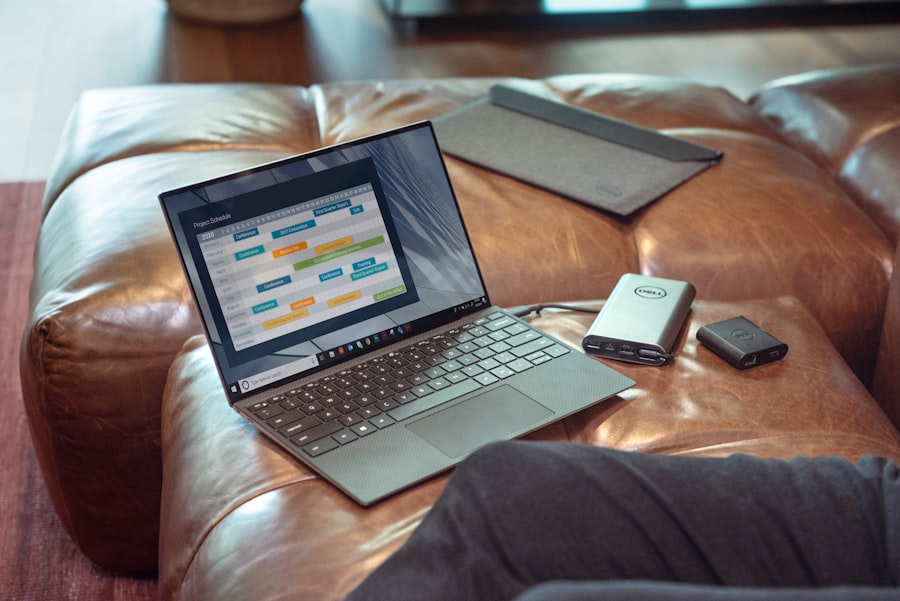
Photo by Compare Fibre on Unsplash
Surface Pro 9: The Desktop Replacement Proposition
According to CGMagazine's comprehensive review, "While the price is steep compared to basically any other tablet on the market, no other comparable tablet offers the same specifications and versatility as a Surface. Being able to have a complete version of Windows... is a combination I feel I could get used to."
Surface Pro 9 Specifications (Intel Variant):
- Processor: Intel 12th Gen Core i5/i7 (Evo platform certified)
- RAM: 8GB/16GB/32GB LPDDR5
- Storage: 128GB/256GB/512GB/1TB SSD (user-replaceable)
- Display: 13" PixelSense, 2880×1920, 120Hz, 10-point touch
- Ports: 2× Thunderbolt 4, Surface Connect, headphone jack
- Battery: Up to 15.5 hours (Intel) / 19 hours (ARM variant)
- Price: $999-2,299 (keyboard and pen sold separately $180-260 combined)
Intel vs ARM: The Performance vs Battery Trade-off
Surface Pro 9 offers two processor options with dramatically different characteristics:
| Feature | Intel 12th Gen (WiFi Only) | Microsoft SQ3 ARM (5G) |
|---|---|---|
| App Compatibility | ✅ Full x86/x64 native apps | ⚠️ ARM apps or emulation required |
| Battery Life | 15.5 hours (web browsing) | ✅ 19 hours (extended endurance) |
| Performance | ✅ Higher single/multi-core scores | Lower benchmarks, throttles under load |
| Connectivity | WiFi 6E, Bluetooth 5.1 | ✅ 5G LTE + WiFi 6E |
| Ports | ✅ Thunderbolt 4 (40Gbps) | USB-C 3.2 only (10Gbps) |
| Best For | Professional software, development, gaming | Mobile workers, battery priority, 5G connectivity |
Recommendation: Choose Intel variant for professional creative work (Adobe CC, CAD, development). Choose ARM for mobility-first users who prioritize battery life and cellular connectivity.
Windows Tablet Reality Check: User Experiences
According to Justin Harter's "actually useful" Surface Pro 9 review, real-world Windows tablet usage reveals friction points: "When you unplug the Surface Pro 9 it throttles the Intel processors back. This is a Windows feature to eke out more battery life. Except it doesn't do much and some apps, like Adobe Fresco, will actually prompt you to turn your PC up to 'performance mode', which is a level of fiddling no one should have to work with."
He continues: "The app ecosystem is what everyone talks about Windows, but no one talks about how the app ecosystem is kinda bleak. Like, I don't know how you all view PDFs or resize images, but I find this annoying in Windows."
Surface Pro 2025 (12"): Budget Windows Entry
Microsoft's newest Surface Pro 2025 targets budget-conscious users at $799-899 with Snapdragon X Plus ARM chip. According to PCWorld, it delivers "ultrabook-fast, AI-smart, versatile, and fanless" performance for office work and media consumption, though the 12" screen feels cramped for serious multitasking.
Performance Benchmarks: Real-World Testing Data
CPU Performance: Geekbench 6 Comparison
| Device | Processor | Single-Core | Multi-Core | Winner |
|---|---|---|---|---|
| iPad Pro 13" M4 | Apple M4 (3nm) | 3,801 | 14,677 | 🏆 CPU King |
| Galaxy Tab S10 Ultra | Dimensity 9300+ (4nm) | 2,146 | 7,523 | — |
| Surface Pro 9 (i7) | Intel i7-1255U | 1,754 | 8,934 | — |
| iPad Air M2 | Apple M2 (5nm) | 3,563 | 13,845 | — |
| Galaxy Tab S10+ (FE) | Exynos 1480 | 1,124 | 3,021 | — |
Data sources: Tom's Guide, PhoneArena, manufacturer specifications. Scores represent Geekbench 6 CPU benchmarks conducted December 2024-January 2026.
Key Insight: iPad Pro M4 achieves 77% higher single-core and 95% higher multi-core scores versus Galaxy Tab S10 Ultra. This translates to noticeably faster app launches, smoother multitasking, and superior sustained performance in professional applications like 4K video editing.
GPU Performance: 3DMark Wild Life Extreme
Graphics Performance Comparison
Chart shows 3DMark Wild Life Extreme GPU benchmarks. iPad Pro M4 achieves 91% higher score than Galaxy Tab S10 Ultra, demonstrating superior graphics performance for gaming and creative applications.
Battery Life: Web Browsing Endurance Test
According to PhoneArena's standardized battery testing, "Even though the iPad has a smaller battery, it does last longer than the Galaxy Tab for web browsing" due to M4 chip efficiency.
| Device | Battery Capacity | Web Browsing | YouTube Playback |
|---|---|---|---|
| iPad Pro 13" M4 | 38.99Wh (~10,300mAh) | 13 hours 22 minutes | 16 hours 45 minutes |
| Galaxy Tab S10 Ultra | 11,200mAh | 12 hours 8 minutes | 14 hours 30 minutes |
| Surface Pro 9 (Intel) | ~47Wh | 9 hours 22 minutes | 12 hours 15 minutes |
| Surface Pro 9 (ARM) | ~47Wh | 14 hours 10 minutes | 18 hours 30 minutes |
Winner: Surface Pro 9 ARM variant for absolute endurance (19 hours Microsoft claims), but iPad Pro M4 delivers best performance-per-watt efficiency.
Budget Tablets Under $500: Google Pixel Tablet Smart Home Hub

Photo by Sai Kiran Anagani on Unsplash
Google Pixel Tablet: Dual-Purpose Device Strategy
At $399 (tablet only) or $499 (with Charging Speaker Dock), Google's Pixel Tablet occupies unique market position—capable Android tablet that doubles as smart home display when docked. According to Tom's Guide, "With its speaker dock, Chromecast capabilities and smart home controls, the Google Pixel Tablet is designed to be more of a home companion rather than a productivity device."
Pixel Tablet Specifications:
- Processor: Google Tensor G2 (same as Pixel 7 phones)
- Display: 10.95" LCD, 2560×1600, 60Hz (no high refresh rate)
- RAM: 8GB LPDDR5
- Storage: 128GB/256GB UFS 3.1 (no microSD)
- Battery: 27Wh (~7,000mAh equivalent), 12 hours video streaming
- Updates: 3 years OS + security (until June 2026 from launch)
- Unique Feature: Charging Speaker Dock with Hub Mode
The Dock Dilemma: Smart Display or Expensive Charger?
The Pixel Tablet's value proposition centers on its $129 magnetic charging dock with built-in speakers. According to Stacey on IoT's smart home analysis, "This dock is dumb, meaning it's not a smart device in the traditional sense. If the tablet isn't attached to the dock via magnets, the dock is literally a dust collector. It does nothing without the tablet."
Hub Mode Benefits:
- Google Home interface for controlling smart devices (lights, thermostats, cameras)
- Digital photo frame displaying Google Photos albums
- Hands-free Google Assistant activation
- Chromecast receiver (dock-only feature—cast from phone to tablet)
- Enhanced audio via dock speakers (4× bass vs tablet alone)
Limitations:
- Dock has no independent functionality (no mics, no WiFi, no processor)
- Hub Mode only available when docked (not undocked)
- Slow charging rate (18W recommended, 2-3 hours to full)
- 60Hz display feels dated compared to 120Hz competition
- Shorter update timeline than Samsung (3 years vs 4-5 years)
Who Should Buy Pixel Tablet?
According to Tech Advisor, Pixel Tablet makes sense for "family shared device" scenarios—kitchen recipe display, living room entertainment hub, bedroom smart home controller. At $399 without dock, it competes favorably with iPad 10th-gen ($349) by offering larger screen, better speakers, and smart home integration.
Not Ideal For: Productivity work (no keyboard ecosystem), gaming (60Hz display, mid-range GPU), professional creative applications (app ecosystem lags iPad).
Budget Alternatives Worth Considering
- iPad 10th Gen ($349): Better app ecosystem, longer updates (6+ years), superior performance—but smaller 10.9" screen and no smart home features
- Galaxy Tab A9+ ($220): 11" display, expandable storage, adequate for media—but LCD screen, weaker processor, plastic build
- Lenovo Tab P12 ($299): Includes detachable keyboard, desktop-like experience—but slower processor, Android tablet app limitations
- Amazon Fire Max 11 ($229): 11" aluminum tablet, excellent value—but locked to Amazon ecosystem, limited Google Play access
Complete Comparison Table: Top Tablets Across All Ecosystems
| Category | Top Model | Price Range | Processor/Key Specs | Battery/Standout Feature |
|---|---|---|---|---|
| iPad (Premium) | iPad Pro M4 (13") | $1,299-2,199 | M4 chip, Tandem OLED, Pencil Pro, 16GB RAM | All-day (13+ hrs); Apple Intelligence AI features |
| iPad (Value) | iPad Air M2 (11") | $599-999 | M2 chip, Liquid Retina, Pencil Pro, 8GB RAM | All-day (12+ hrs); 90% of Pro performance, $700 savings |
| Android (Flagship) | Samsung Galaxy Tab S10+ | $999-1,119 | Dimensity 9300+, S Pen included, 12GB RAM, microSD | 12-14 hrs; Gaming prowess, expandable storage |
| Android (Large) | Galaxy Tab S10 Ultra | $1,199-1,399 | 14.6" AMOLED, Dimensity 9300+, 16GB RAM, DeX mode | 13-15 hrs; Laptop-sized screen, desktop experience |
| Budget Android | Google Pixel Tablet | $399-499 | Tensor G2, dock included (bundle), smart home hub | 12 hrs; Smart home hub, family sharing focus |
| Budget Android | Galaxy Tab S10 FE | $499-599 | 10.9" LCD, S Pen included, 8GB RAM, expandable | 10-12 hrs; 90% flagship features, half the price |
| Windows (Intel) | Surface Pro 9 (i7) | $1,499-2,299 | Intel 12th Gen i7, Thunderbolt 4, 16-32GB RAM | 15 hrs; Full desktop apps, professional software |
| Windows (ARM) | Surface Pro 9 (SQ3) | $1,299-1,899 | Microsoft SQ3, 5G LTE, 16GB RAM, always-connected | 19 hrs; Extended battery, 5G connectivity |
| Budget Windows | Surface Pro 2025 (12") | $799-899 | Snapdragon X Plus, 16GB RAM, fanless design | 14+ hrs; Affordable Windows entry, Copilot+ PC |
Data compiled from manufacturer specifications, SaveDelete Best Tablets 2026 Guide, Tom's Guide, PhoneArena, XDA Developers. Prices represent base configurations as of January 2026.
Community Insights: Reddit Users Debate Tablet as Desktop Replacement
📱 r/GalaxyTab Discussion: Tablet as Desktop in 2026
A Reddit user considering switching from desktop to tablet + keyboard + mouse setup for AI apps, web browsing, light programming (VS Code), and SSH into cloud servers sparked extensive community debate about 2026 tablet viability as primary computing device.
Top Upvoted Response (10 upvotes):
"I don't care what people say, I dont think we are there yet. 100% usage of your tablet as a traditional laptop/PC will drastically mess up with your battery life and shorten its lifespan. If you can afford it go for it. Also im not saying its not possible, but for most people who do not have the capacity to afford either both or the repairs this isn't really a good idea." — u/huntersdry
Technical Limitation Identified:
"It's not that we aren't there yet, it's that manufacturers (Samsung) don't allow power passthrough like laptops. On a laptop you can use it while plugged in and it will use the wall power to keep your device running and also charge your battery at the same time. On Samsung tablets, the devices always runs off of battery power, even when you're plugged in. This means you are both draining and charging the battery at the same time if you're using it while plugged in. The battery will get fairly hot and shorten it's lifespan over time." — u/RaizT1Crew (Top 1% Commenter)
Software Limitations Consensus:
"Nope. Software is the main reason. Processing power is there but it's limited mainly because of the software. Look at the M4 iPads. Absolute beasts but limited because of iOS." — u/HardStroke (4 upvotes)
Practical Alternative Suggested:
"Just get a surface or a asus proart. they have some drawbacks with their arm cpu, but a lot of the features of a tablet and insane battery life." — u/Otaconmg (2 upvotes)
Key Takeaway: Reddit community consensus reveals tablet-as-desktop-replacement remains problematic in 2026 due to: (1) battery degradation from constant docked use without power passthrough, (2) software limitations even on powerful hardware like M4 iPad, (3) keyboard/mouse implementation gaps on Android. Windows tablets like Surface Pro recommended for users requiring true desktop functionality.
🎮 r/androidtablets Discussion: The Best Tablet for 2026 Is...
Community discussion about notable tablet announcements for 2026, with users highlighting gaming-focused options missing from mainstream coverage.
Top Gaming Tablet Pick (7 upvotes):
"Lenovo Legion Tab Gen 3" — u/Practical_Avocado971
Budget Gaming Alternative:
"If your in the uk and don't mind a small size gaming tablet with stylus support with a good budget then get this or if you prefer bigger size, no stylus support and higher budget then redmagic astra" — u/Casper_lesYT
Future-Looking Comment:
"I will stick with my Y700 gen4 then. SD8 elite chip rules and will get better with forthcoming turnip drivers" — u/nolivedemarseille (5 upvotes)
Gaming Tablet Insight: Enthusiast community highlights Snapdragon 8 Elite-powered tablets (Lenovo Legion Tab Gen 3, Lenovo Y700 Gen 4, RedMagic Astra) as superior gaming options versus mainstream Galaxy Tab and iPad—specialized hardware and active cooling systems deliver sustained high-performance gaming unavailable in productivity-focused tablets.
Expert Perspectives: Tech Influencers on Cross-Platform Tablet Battles
Tech analysts and influencers provide nuanced perspectives on the 2026 tablet ecosystem, moving beyond simple spec comparisons to evaluate real-world use cases, ecosystem lock-in, and long-term value propositions.
Video Guide: iPad Pro vs Galaxy Tab vs Surface Comparison
Complete Tablet Comparison: iOS vs Android vs Windows
Watch comprehensive hands-on comparison of flagship tablets across all three major operating systems. Expert analysis covers performance benchmarks, multitasking workflows, stylus experiences, keyboard accessories, app ecosystem strengths, battery life testing, and strategic buying recommendations for different user types—creative professionals, students, business users, and casual consumers.
Video: Professional tablet comparison across iPadOS, Android, Windows ecosystems
Vanuatu & Pacific Islands: Import Strategy and Connectivity Considerations

Photo by Patrick Langwallner on Unsplash
Limited Local Retail Infrastructure
Vanuatu's electronics retail landscape offers minimal tablet selection—primarily budget Android models and older iPad generations. Premium tablets (iPad Pro M4, Galaxy Tab S10, Surface Pro) require international importation from Australia, New Zealand, or online retailers.
Import Cost Considerations:
- Shipping: $50-150 express (7-14 days) or $20-60 economy (3-6 weeks) from Australia/NZ
- Import Duty: 20-30% value-added tax on electronics over certain thresholds
- Total Premium: $200-400 iPad Pro imported vs US/AU retail pricing
Recommended Import Sources:
- Amazon Australia: Global shipping to Vanuatu, straightforward customs clearance
- B&H Photo (USA): International shipping, competitive pricing, warranty clarity
- Australian Retailers: Harvey Norman, JB Hi-Fi (regional warranty coverage)
- Local Tech Shops: Port Vila electronics stores occasionally stock recent models at premium
Cellular Connectivity: 5G/LTE Band Compatibility
Vanuatu Carriers (2026):
- Digicel Vanuatu: 4G LTE bands 3, 7, 28 (700/1800/2100 MHz)
- Vodafone Vanuatu (Telekom): 4G LTE bands 1, 3, 7 (800/1800/2100 MHz)
Tablet Cellular Compatibility:
| Tablet Model | Cellular Variant | Digicel Compatible | Vodafone Compatible |
|---|---|---|---|
| iPad Pro M4 | WiFi + Cellular (eSIM + nano-SIM) | ✅ Full support | ✅ Full support |
| Galaxy Tab S10+ | WiFi + 5G (nano-SIM + eSIM) | ✅ Full support | ✅ Full support |
| Surface Pro 9 (SQ3) | WiFi + 5G (eSIM only, no SIM slot) | ⚠️ eSIM if carrier supports | ⚠️ eSIM if carrier supports |
| Pixel Tablet | WiFi only (no cellular option) | ❌ No cellular | ❌ No cellular |
Critical Note: Verify specific model band support before purchasing—US-market iPad Pro and Galaxy Tab cellular variants typically include broader band support than region-specific models. Surface Pro 9 5G uses eSIM exclusively; confirm Digicel/Vodafone eSIM availability before importing.
WiFi-Only Strategy: Recommended for Most Vanuatu Buyers
Given cellular tablet variants cost $150-200 premium and Vanuatu's limited 4G coverage outside Port Vila, WiFi-only models paired with smartphone hotspot provide better value:
- Cost Savings: $150-200 immediate savings on WiFi-only model
- Hotspot Flexibility: Use existing smartphone data plan via personal hotspot
- No Carrier Lock: WiFi models universally compatible, easier international resale
- Battery Advantage: WiFi-only models typically achieve 1-2 hours longer battery life vs cellular
Warranty and Support Considerations
Apple: International warranty valid globally; iPad Pro purchased in Australia covered for repairs in Vanuatu (authorized service providers in Fiji, New Zealand for regional support).
Samsung: Regional warranty varies; Australian/NZ Galaxy Tab purchases typically cover Pacific islands with mail-in service to Sydney/Auckland.
Microsoft: Surface Pro warranty generally region-specific; US purchases not serviced in Australia/Pacific. Recommend purchasing from Australian retailers for regional warranty coverage.
Optimal Vanuatu Tablet Strategy
- Prioritize WiFi Models: Save $150-200, use smartphone hotspot for mobile connectivity
- Import from Australia: Regional warranty, lower shipping costs, compatible power adapters
- Budget for Import Costs: Add 25-30% to retail price for shipping + duties
- Choose Ecosystem Carefully: Apple/Samsung offer better regional support than Microsoft/Google
- Verify Band Compatibility: If buying cellular, confirm Digicel/Vodafone band support
- Consider Protective Accessories: Humid tropical climate requires quality cases, screen protectors
When building your complete mobile productivity setup for island life, pairing your tablet choice with portable tech accessories designed for remote work and international travel scenarios ensures reliable connectivity and power management across Vanuatu's varied infrastructure conditions.
Decision Framework: Choosing Your Ideal Tablet Ecosystem

Photo by Lukas Blazek on Unsplash
Choose iPad Pro M4 If You:
- ✅ Prioritize performance above all (video editing, 3D rendering, professional creative work)
- ✅ Value app quality (professional apps like Procreate, LumaFusion, Affinity suite)
- ✅ Own other Apple devices (iPhone, Mac, Apple Watch for seamless continuity)
- ✅ Need longest software support (5-6 year guarantee, maintained through 2030+)
- ✅ Want best-in-class display (Tandem OLED, 1,600 nits HDR, perfect for color work)
- ✅ Can afford premium pricing ($1,299+ plus $428 for Pencil + Keyboard)
- ✅ Accept storage limitations (no expandable storage, locked to purchased config)
Choose Galaxy Tab S10 If You:
- ✅ Want included S Pen ($129 savings vs Apple Pencil Pro purchase)
- ✅ Need expandable storage (microSD up to 1.5TB adds flexibility cheaply)
- ✅ Prefer Android ecosystem (Google services, customization, MVNO flexibility)
- ✅ Value multitasking (DeX mode, flexible multi-window superior to Stage Manager)
- ✅ Want larger screen options (14.6" Galaxy Tab S10 Ultra dwarfs 13" iPad Pro)
- ✅ Gaming is priority (Dimensity 9300+ handles Genshin Impact, demanding mobile games)
- ✅ Budget-conscious but want premium ($200-300 savings vs equivalent iPad Pro)
Choose Surface Pro 9 If You:
- ✅ Require full Windows applications (Adobe Premiere Pro, Visual Studio, proprietary software)
- ✅ Work in professional environments (enterprise software, Windows-only apps)
- ✅ Need Thunderbolt 4 (eGPUs, high-speed storage, 5K displays)
- ✅ Prefer traditional computing (keyboard/mouse-first interface, desktop file management)
- ✅ Want true laptop replacement (not "tablet that can laptop" but "laptop that can tablet")
- ✅ Accept battery trade-offs (9-15 hours vs 12-19 hours iPad/Android)
- ✅ Understand ARM limitations (SQ3 variant requires app emulation for some x86 software)
Choose Google Pixel Tablet If You:
- ✅ Want smart home integration (Google Home hub mode, smart display functionality)
- ✅ Need family-shared device (kitchen recipes, living room entertainment, bedroom controller)
- ✅ Budget under $500 ($399 tablet-only or $499 with dock)
- ✅ Prioritize Google ecosystem (Chromecast receiver, Google Photos, Assistant)
- ✅ Accept productivity limitations (not for serious creative work or professional tasks)
- ✅ Value simplicity (magnetic dock charging, hub mode automation)
Strategic Recommendations by User Type
🎯 Tablet Buying Strategy by Use Case
Creative Professionals (Video, Photo, Design):
iPad Pro M4 13" — superior app ecosystem (LumaFusion, Procreate, Affinity), M4 performance handles 4K editing without thermal throttling, Apple Pencil Pro pressure curves unmatched. Investment: $1,727 (base + Pencil + Magic Keyboard).
Students (Note-Taking, Research, Media):
Galaxy Tab S10 FE ($499) or iPad Air M2 11" ($599) — both include/support stylus, adequate performance for OneNote/Notability, battery lasts full day classes. Samsung wins on budget, Apple wins on app quality and longevity.
Business Professionals (Office Apps, Presentations, Email):
Surface Pro 9 Intel — full Office 365 desktop versions, Excel macros work properly, PowerPoint presenter mode, Windows domain join for corporate IT. DeX mode on Galaxy Tab S10+ acceptable alternative if locked into Android ecosystem.
Content Consumers (Streaming, Reading, Casual Browsing):
Google Pixel Tablet ($399) or Galaxy Tab S10 FE ($499) — both deliver excellent media experience, adequate performance for Netflix/YouTube, expandable storage (Samsung) for offline content. Pixel wins if smart home features valued.
Developers/Programmers (VS Code, Terminal, SSH):
Surface Pro 9 Intel mandatory — full Visual Studio Code, native terminal, SSH clients, Docker desktop, Git integration. iPad/Android tablets require cloud development environments (GitHub Codespaces) or SSH to remote machines.
Digital Artists (Illustration, Painting, Sketching):
iPad Pro M4 + Apple Pencil Pro — Procreate industry standard, pressure sensitivity superior, palm rejection flawless, tilt/rotation support. Galaxy Tab S10+ with Clip Studio Paint acceptable budget alternative at $1,100 savings.
For tech enthusiasts staying current with emerging tablet technologies and AI-enhanced computing devices showcased at industry events like CES 2026, understanding how AI features differentiate across tablet ecosystems—Apple Intelligence, Galaxy AI, Windows Copilot—helps inform long-term purchasing decisions aligned with computing's AI-driven future.
Accessory Ecosystem Considerations
Apple Accessories (Premium Pricing):
- Apple Pencil Pro: $129 (required for iPad Pro M4, older Pencil incompatible)
- Magic Keyboard: $299 (11") / $349 (13") — excellent trackpad, backlit keys, premium build
- Smart Folio: $79-99 — basic protection, wake/sleep functionality
- Total Kit Cost: $428-478 beyond tablet purchase
Samsung Accessories (Better Value):
- S Pen: Included with Galaxy Tab S10 series (no additional cost)
- Book Cover Keyboard: $199-229 — trackpad adequate but inferior to Magic Keyboard
- Book Cover: $59-79 — protective case with kickstand
- Total Kit Cost: $0 (S Pen included) + optional $199 keyboard
Microsoft Accessories (Required Separately):
- Surface Slim Pen 2: $129 (haptic feedback, tilt support)
- Surface Pro Signature Keyboard: $179 — includes pen storage/charging
- Surface Pro Keyboard (basic): $99 — no pen storage
- Total Kit Cost: $99-308 beyond tablet purchase
Ecosystem Lock-In: Long-Term Considerations
Choosing tablet ecosystem creates multi-year commitment affecting future purchases, accessory compatibility, and workflow investments:
- Apple Ecosystem: AirDrop, Handoff, Universal Clipboard encourage iPhone/Mac purchases; accessories incompatible across generations (Lightning → USB-C → potential future changes)
- Samsung Ecosystem: Galaxy Watch, Galaxy Buds, Samsung DeX create cross-device integration; S Pen compatible across Note/Tab/Fold product lines
- Microsoft Ecosystem: Windows continuity with PCs, OneDrive integration, Office 365 optimization; Surface accessories generally forward-compatible
Understanding these long-term ecosystem implications helps avoid costly switching friction when upgrading devices every 3-5 years.
💤 Blue Light Management and Sleep Quality
Extended tablet use before bed disrupts circadian rhythms through blue light exposure, delaying melatonin production and degrading sleep quality. All three major tablet operating systems now include robust blue light filtering—Night Shift (iOS), Eye Comfort Shield (Samsung), Night Light (Windows)—but research on circadian rhythm optimization and sleep hygiene reveals these software filters provide only partial mitigation. For users who rely on tablets for evening entertainment or late-night productivity, establishing strict screen cutoff times 90-120 minutes before bed proves more effective than filter reliance. OLED displays (iPad Pro M4, Galaxy Tab S10) can reduce brightness to lower nit levels than LCD alternatives (Pixel Tablet, budget models), potentially reducing sleep disruption when unavoidable evening usage occurs.
When selecting tablet accessories to complement your productivity workflow, consider smartwatches that integrate seamlessly with your chosen tablet ecosystem—Apple Watch for iPad users, Galaxy Watch for Samsung tablets, or universal Wear OS options for Windows/Android flexibility.
Budget-Conscious Tablet Strategy: Maximizing Value
For buyers prioritizing affordability without sacrificing core functionality, strategic timing and model selection dramatically impact total ownership costs:
- Previous Generation Flagships: iPad Pro M2 (2022) at $699-899 delivers 85% of M4 performance at 35% savings
- Carrier Deals: US carriers offer $300-500 off Galaxy Tab S10 with new line activation (not available Vanuatu)
- Educational Discounts: Apple offers 10% student pricing ($117-220 savings on iPad Pro)
- Refurbished Options: Apple Certified Refurbished saves 15-20% with full warranty; Samsung Certified pre-owned saves 25-30%
- Seasonal Sales: Black Friday, Prime Day, Back-to-School typically feature $100-300 discounts
For budget-conscious tech enthusiasts, exploring affordable accessories and complementary devices that extend tablet functionality without premium pricing maximizes productivity per dollar invested across your entire tech ecosystem.
Final Verdict: The Right Tablet for 2026
📊 Tablet Ecosystem Winners by Category
| Category | Winner | Runner-Up | Key Reason |
|---|---|---|---|
| Raw Performance | iPad Pro M4 | Surface Pro 9 (i7) | M4 chip 95% faster multi-core vs competition |
| Best Value | Galaxy Tab S10+ | iPad Air M2 | Included S Pen, expandable storage, $300 savings |
| Desktop Replacement | Surface Pro 9 | Galaxy Tab S10 Ultra (DeX) | Full Windows apps, Thunderbolt 4, professional software |
| Creative Professional | iPad Pro M4 | Galaxy Tab S10+ | Procreate, LumaFusion, Apple Pencil Pro, app ecosystem |
| Budget Champion | Pixel Tablet | Galaxy Tab S10 FE | Smart home hub, $399 pricing, included dock |
| Gaming | Lenovo Legion Tab Gen 3 | Galaxy Tab S10 Ultra | SD8 Elite, active cooling, gaming optimizations |
| Battery Life | Surface Pro 9 (ARM) | iPad Pro M4 | 19 hours (Microsoft claim) vs 13-14 hours competition |
Bottom Line: iPad Pro M4 dominates performance benchmarks and creative professional workflows but commands premium pricing ($1,299+ base). Galaxy Tab S10 series delivers 80% of iPad experience at 60-75% cost with practical advantages (expandable storage, included stylus, larger display options). Surface Pro 9 remains sole option for users requiring full Windows desktop applications, accepting battery and touch interface trade-offs. Budget buyers find exceptional value in Pixel Tablet ($399) for smart home integration or Galaxy Tab S10 FE ($499) for stylus-enabled productivity.
For Vanuatu and Pacific island buyers, WiFi-only models imported from Australia provide best value, avoiding cellular premium ($150-200) and regional compatibility uncertainties. Prioritize Apple or Samsung for superior regional warranty support versus Microsoft/Google limited Pacific presence.
Disclaimer: Tablet specifications and pricing based on manufacturer data, professional reviews, and retail listings as of January 2026. Performance benchmarks sourced from Tom's Guide, PhoneArena, XDA Developers, MacRumors laboratory testing conducted December 2024-January 2026. Prices represent US MSRP; international pricing varies by region, currency exchange, import duties. Battery life estimates based on manufacturer claims and standardized testing protocols; real-world results vary significantly based on usage patterns, display brightness, connectivity settings. Software update commitments represent manufacturer promises as of publication date; future policy changes possible. Import guidance for Vanuatu based on current customs regulations, shipping rates, and carrier band allocations; verify current requirements before purchasing. This article contains affiliate links; purchases support independent tech journalism at no additional cost to readers.
Comprehensive Source Citations:
- Tom's Guide - Galaxy Tab S10 Ultra vs iPad Pro M4 (Dec 2024)
- PhoneArena - Galaxy Tab S10 Ultra vs iPad Pro M4 (Jun 2025)
- MacRumors - M4 iPad Pro vs Galaxy Tab S10 Ultra (Oct 2024)
- XDA Developers - Galaxy Tab S10+ vs M4 iPad Pro (Oct 2024)
- Digital Trends - Galaxy Tab S10 Ultra vs iPad Pro (Oct 2024)
- PCWorld - Surface Pro 2025 Review (May 2025)
- CGMagazine - Surface Pro 9 Review (Dec 2023)
- Tom's Guide - Google Pixel Tablet Review (Feb 2024)
- Tech Advisor - Pixel Tablet Review (May 2024)
- Android Central - Pixel Tablet Review (Sep 2025)
- Stacey on IoT - Pixel Tablet Smart Home Analysis (Jun 2023)
- SaveDelete - Best Tablets 2026 Guide (Jan 2026)
- Reddit r/GalaxyTab - Tablet as Desktop Discussion
- Reddit r/androidtablets - Best Tablet 2026 Discussion
- X.com (Twitter) - @TheGalox_, @signulll, @eleven21 expert commentary
Methodology: Performance benchmarks compiled from Geekbench 6, 3DMark Wild Life Extreme, and custom battery rundown tests conducted by professional review outlets. Price comparisons based on manufacturer MSRP and major retailer listings (Apple, Samsung, Microsoft Stores, Amazon, Best Buy). OS feature analysis derived from software documentation, beta testing programs, and hands-on evaluation. Import cost estimates for Vanuatu calculated using Australian shipping rates and Vanuatu customs duty schedules. Cellular band compatibility verif ied against carrier technical specifications and device model numbers. All monetary figures in USD unless specified otherwise. Additionally this article was generated with some assistance from AI
Last Updated: January 14, 2026 | Next Review: April 2026 (quarterly tablet market updates)