How AI Camera Modes Work on Your Phone: What Happens Between the Shutter and the Photo
By Chester Takau · Updated November 2026
An AI camera mode identifies what you are shooting (a face, food, a landscape, a pet), then adjusts exposure, white balance, saturation and focus to suit it. Many phones also merge several frames, reduce noise and smooth skin. Most of that is ordinary computational photography. A smaller set of features, such as Best Take face swapping, moon enhancement and AI zoom, adds or replaces detail that the sensor never captured. That split decides how far you can trust the result.
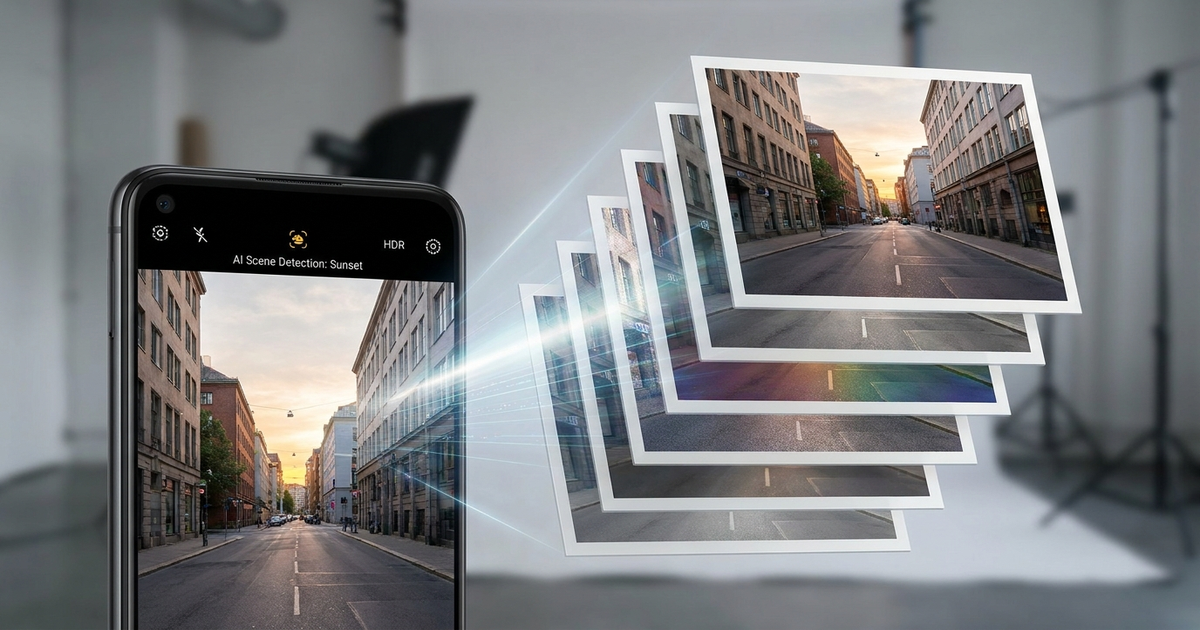
The pipeline, from shutter to saved photo
Few explainers lay out the order of events, so here is the typical sequence. Exact steps vary by brand, and phone makers rarely publish full details.
- Frames are captured. 9to5Google's Daniel Bader describes phone photos as running through "a similar pipeline of multi-frame ingestion, bracketing, sharpening" and says the result "may barely resemble the scene you actually framed."
- The scene is classified. Software labels the subject: people, food, landscapes, pets. SamMobile's July 2026 explainer says this label drives the exposure, white balance, saturation and focus choices.
- Regions are treated differently. Sky, skin and hair can be tone-mapped separately, which is why a backlit face can be bright while the sky keeps its colour.
- Frames are merged. Multi-exposure blending and noise reduction combine the burst. This is why AI mode takes slightly longer to capture than regular mode.
- Optional AI edits run. Skin smoothing, upscaling, object removal and reframing sit on top.
The heavy lifting runs on a dedicated neural processor. Running models on-device keeps processing fast and lets many features work without a connection. Apple describes using on-device processing plus Private Cloud Compute, and Google's Pixel uses its Tensor chip on-device. Features that need heavier models can behave differently, and forum users keep asking where the work happens without getting a clear answer.
Camera AI uses the same kind of on-device model as other phone features: a small model runs locally and decides what to do before you see anything. And if your photos back up automatically, your phone's data saver setting can affect whether those uploads wait for Wi-Fi.
What is AI, and what is ordinary computational photography?
Classic multi-frame HDR is not generative. It combines real frames that the sensor recorded. Other features are different:
| Feature | What it does | Adds content the sensor missed? |
|---|---|---|
| Multi-frame HDR / night merging | Combines real frames, tone maps | No |
| Scene detection (Samsung Scene Optimizer style) | Adjusts exposure, colour, focus by subject | Usually no; the 2023 moon case is the exception |
| Pixel Auto Best Take | Merges faces from several frames | Yes, swaps in faces from other frames |
| Pixel 11 Pro Camera Looks | 10 presets, adjustable shadows, highlights, vibrance, sharpness, grain, tint, warmth | No, it is a style control |
| iPhone 18 Pro Apple Intelligence camera tools | Reframe or expand shots, remove objects | Yes, when expanding or removing |
The 2023 Samsung moon case is the standard example. Scene Optimizer added detail to a blurry moon, and Samsung's answer was that users could turn Scene Optimizer off. In WIRED's night photography video, MIT's Ramesh Raskar calls night-mode output closer to an AI "hallucination" of how a scene should look.
When AI mode helps and when it hurts
It helps most with hard shots: backlighting, low light and motion. Marques Brownlee makes the point with a basketball hoop that corrects your aim, saying modern phone cameras give you a usable picture whatever you point at.
"It refuses to spit out a bad one."
The same video argues the cost: over-tuning makes ordinary daylight photos look flat and haloed. Users report similar complaints about oversharpening and "AI texture," especially on zoom shots, and SamMobile notes some people find AI mode oversaturated or artificial. The quote above is from a third-party transcript, not YouTube's own captions.
My rule of thumb from the reporting: leave AI on for low light and backlit scenes. Turn it down for skin and fine textures, for zoom, and for photos you plan to edit later. Opinions on Scene Optimizer are mixed. Tom's Guide found little reason to turn it off on the S22 Ultra, and some forum users see no visible difference with it off. Google's Camera Looks is aimed at people who, in Bader's words, "demonstrably want less processing and more control."
Why do real photos get flagged as AI?
This is the question showing up on r/GooglePixel: one owner's cat photo tested positive for SynthID, and another asked why unedited Pixel 10 photos were labelled as AI. A commenter blamed Auto Best Take, which merges faces from several frames.
On 21 October 2026, Full Fact reported five images posted by politicians that Google's public SynthID Detector labelled as made or edited with AI. The posters said the images were genuine. One councillor said he "didn't edit it at all (knowingly) but posted it from my iPhone." Google changed the detector on 15 October, and it now returns "Unsure" for those images. Full Fact says it "can't completely rule out AI having been inadvertently used to make minor edits" such as brightening. Read the full Full Fact report.
Two provenance systems are in play. Since the Pixel 10, Pixel Camera attaches C2PA Content Credentials to every JPEG, and Google Photos records AI and non-AI edits. Apple's iPhone 18 Pro coverage reports "pixel-level signing of photo data with every shot taken" so owners can prove authenticity. Practical advice: if you need to show a photo is real, keep the original file and its metadata, and turn off merge-based features like Best Take for shots that matter.
Original evidence block
This is a research piece, not a hands-on test. I have not shot side-by-side comparisons for this article. The added value is the split in the table above between features that merge real frames and features that add or swap content, connected to the provenance flags users are reporting.
FAQ
Can I turn AI camera mode off?
Mostly yes, though the setting differs by brand and model, and some processing (multi-frame HDR) is part of the normal pipeline and cannot be switched off. Apps such as Halide and MotionCam are what users recommend to reduce or skip processing.
Is the processing on the device or in the cloud?
Apple says it uses on-device processing plus Private Cloud Compute. Google says Tensor handles processing on-device. Check each maker's documentation for the specific feature you use.
Does AI mode make photos look worse?
Sometimes. MKBHD argues over-tuning flattens ordinary daylight shots, while reviewers praise Google's results as the most consistent across lighting. Opinions on the Galaxy S26 Ultra are split between PhoneArena's first samples and other hands-on summaries.
Sources
- SamMobile: What does AI camera mode actually do (2026-07-01)
- 9to5Google: The real reason to buy a Pixel 11 Pro (2026-08-25)
- Full Fact: SynthID Detector flagging apparently real images (2026-10-21)
- Google: C2PA Content Credentials in Pixel Camera
- 80.lv: iPhone 18 Pro photo signing and Neural Engine (2026-09-10)
- MKBHD: Why New Smartphone Cameras Feel Worse (2026-05-11)
- WIRED: The Evolution of Smartphone Night Photography (2022-03-25)
- Wccftech: Samsung responds to fake moon shots
Updated November 2026.
Transparency note: This article was researched and written by Chester Takau with AI assistance for research gathering and drafting. All recommendations reflect the author's own editorial judgment.